Tacit 1.2 gives every window one way to close, hide and move, has a new Files, lets the desktop hold your files, and lets you decide what the keyboard does. Here is each change, and what you can do with it now.
Close, hide and arrange any window
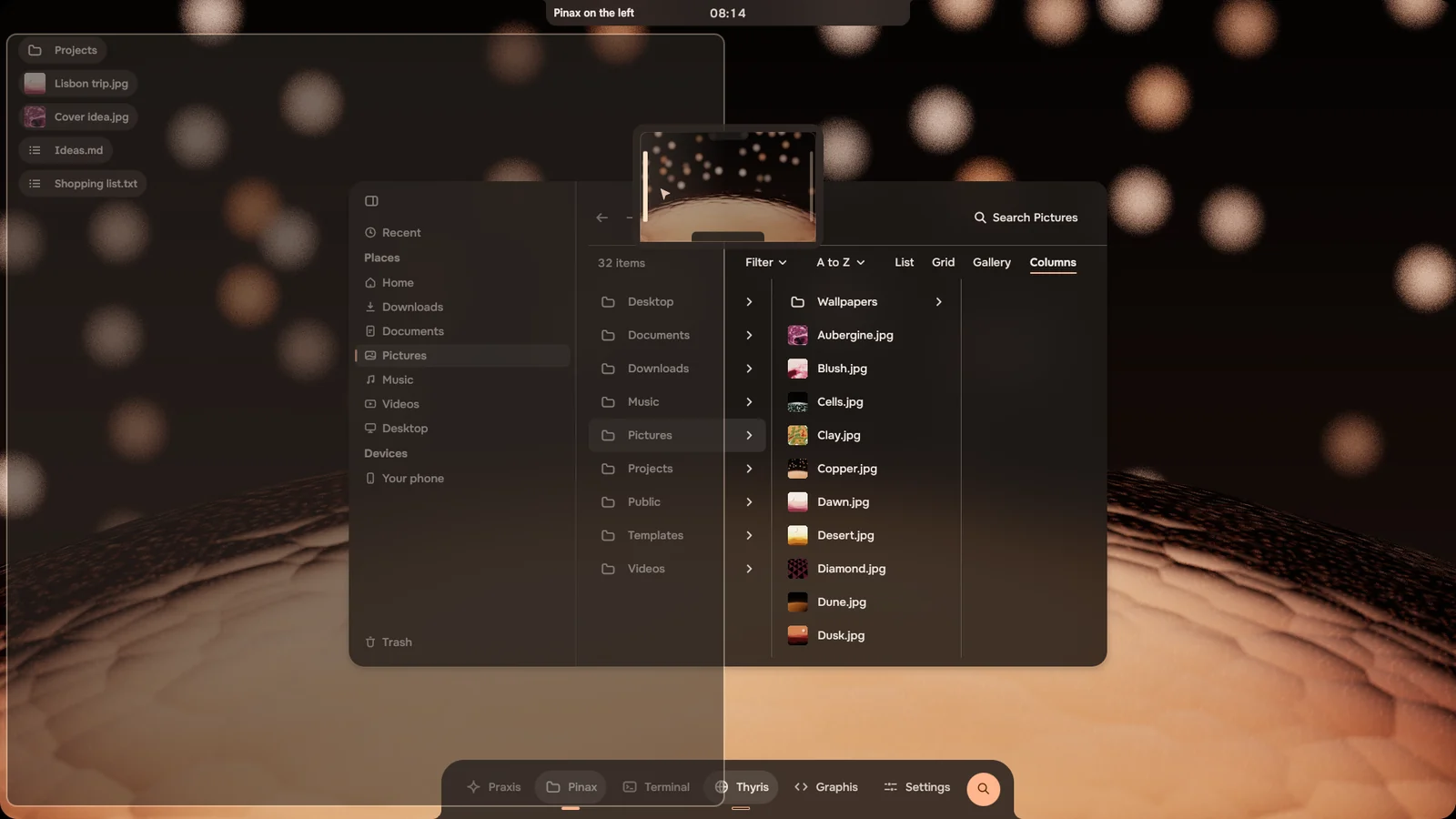
Every window has a small line along its top. Carry it up to the notch to close the window, down to the dock to hide it, or to a side of the screen for that half. Double-click it to fill the screen, and click the app in the dock to bring hidden windows back.
Right-click the line for a small map of the screen with the same places: point at one and the notch says what will happen. Apps no longer show close and minimise buttons of their own, so every window works the same way.
Press Alt+Tab and the overview of your windows opens from the notch. Tab moves through them, most recent first, and when you let go of Alt, Tacit switches to the one you stopped on.
Alt+Tab asked for on Discord by Mustiya.
A new Files
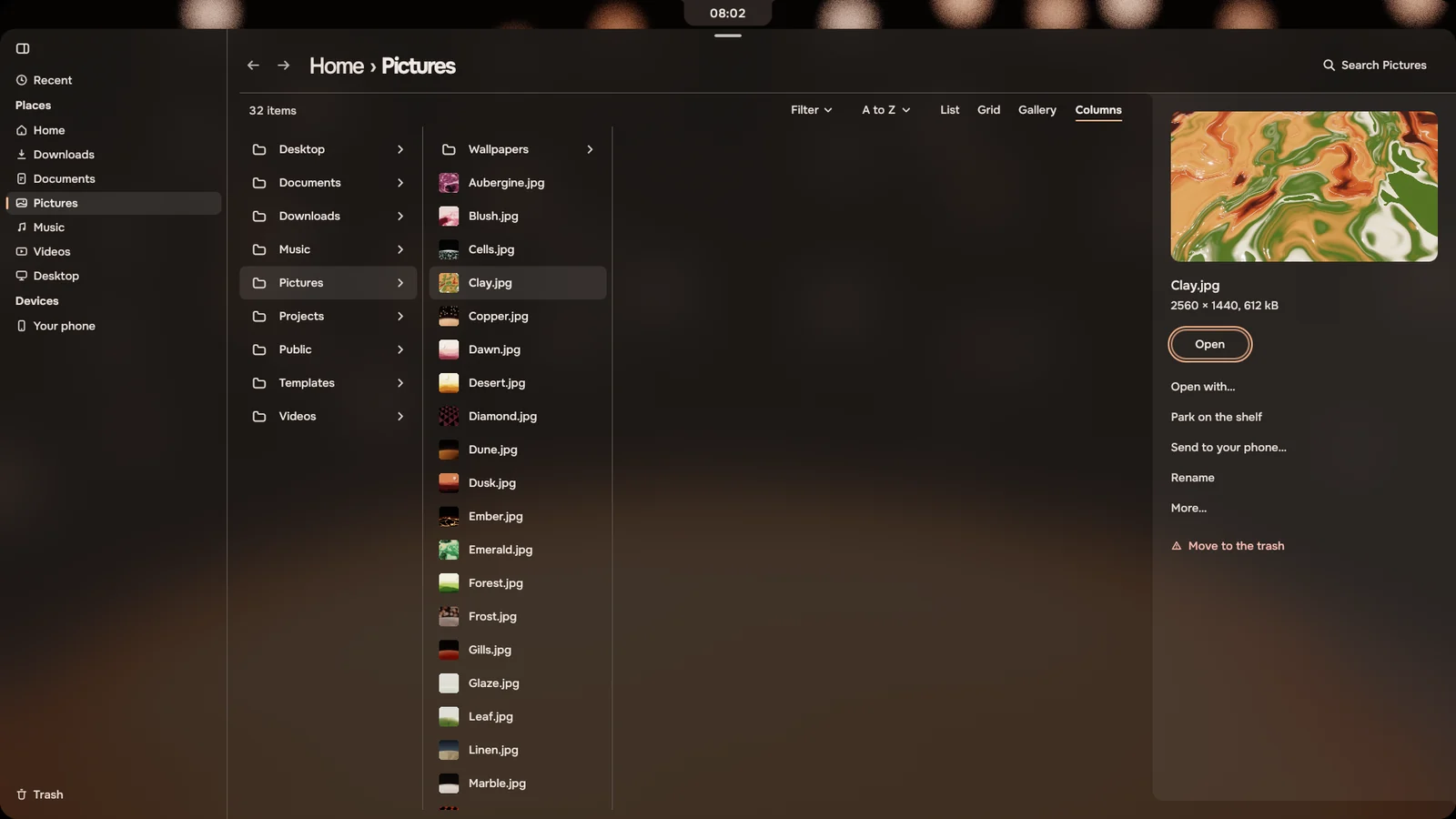
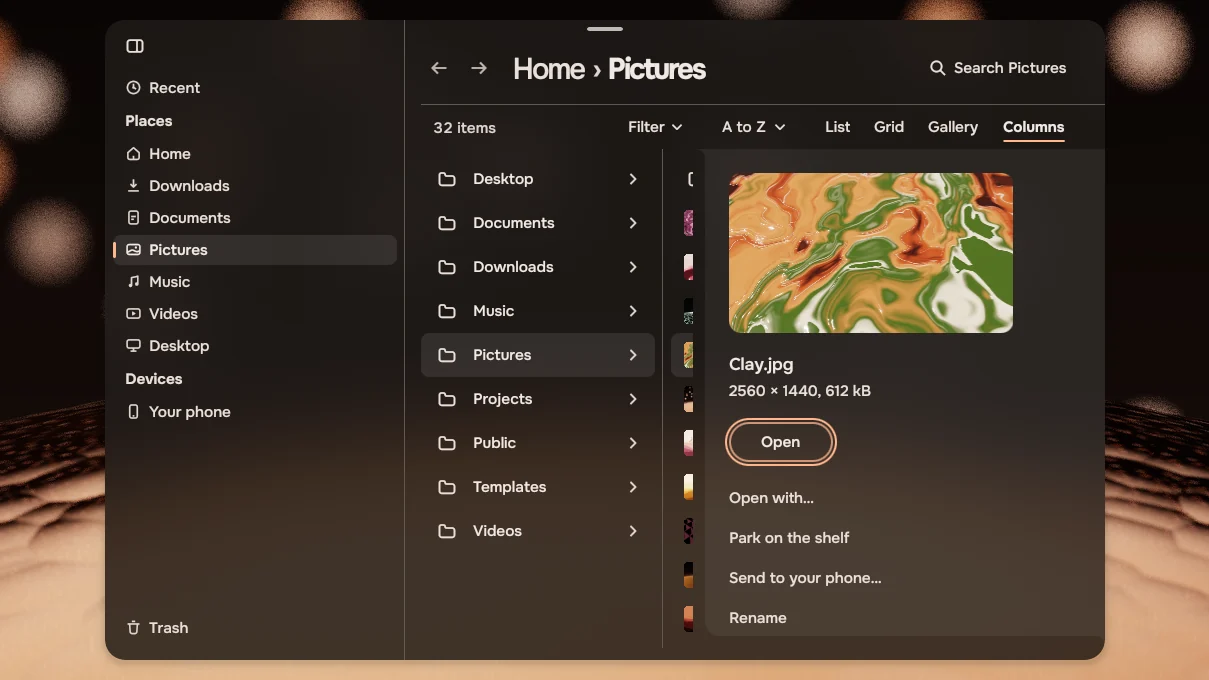
Files is rebuilt in Tacit's own design. Look at a folder as a List, a Grid, a Gallery or Columns, whichever suits what is in it, and filter what you see.
Select a file and press Space: a panel beside the list shows what you can do with it.
Icons on the desktop
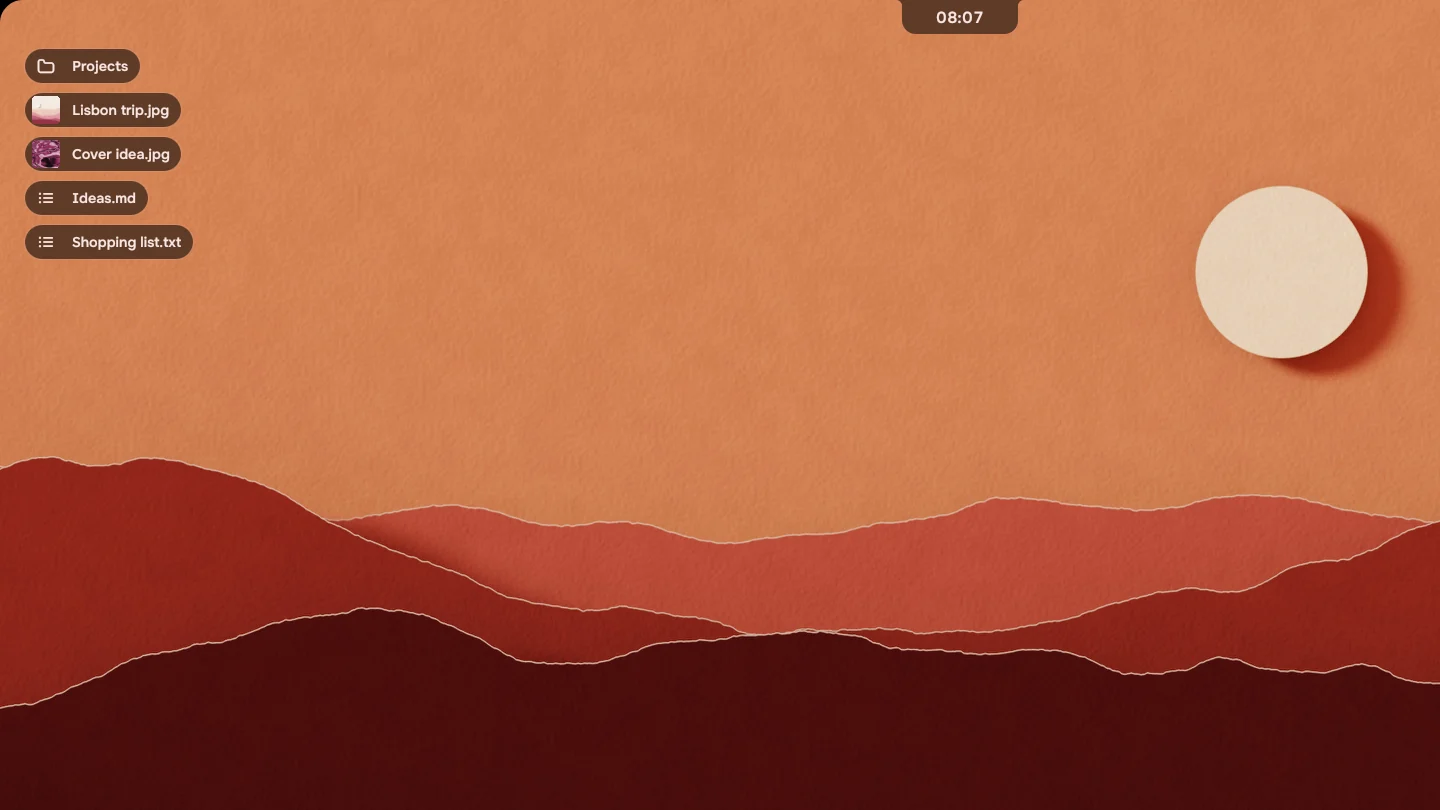
The files in your Desktop folder now show on the desktop as light tags. Place them anywhere you like.
Drop a file on the desktop and it goes into the folder.
Asked for on Discord by Mustiya, Hadi and ygnk.
Your own shortcuts
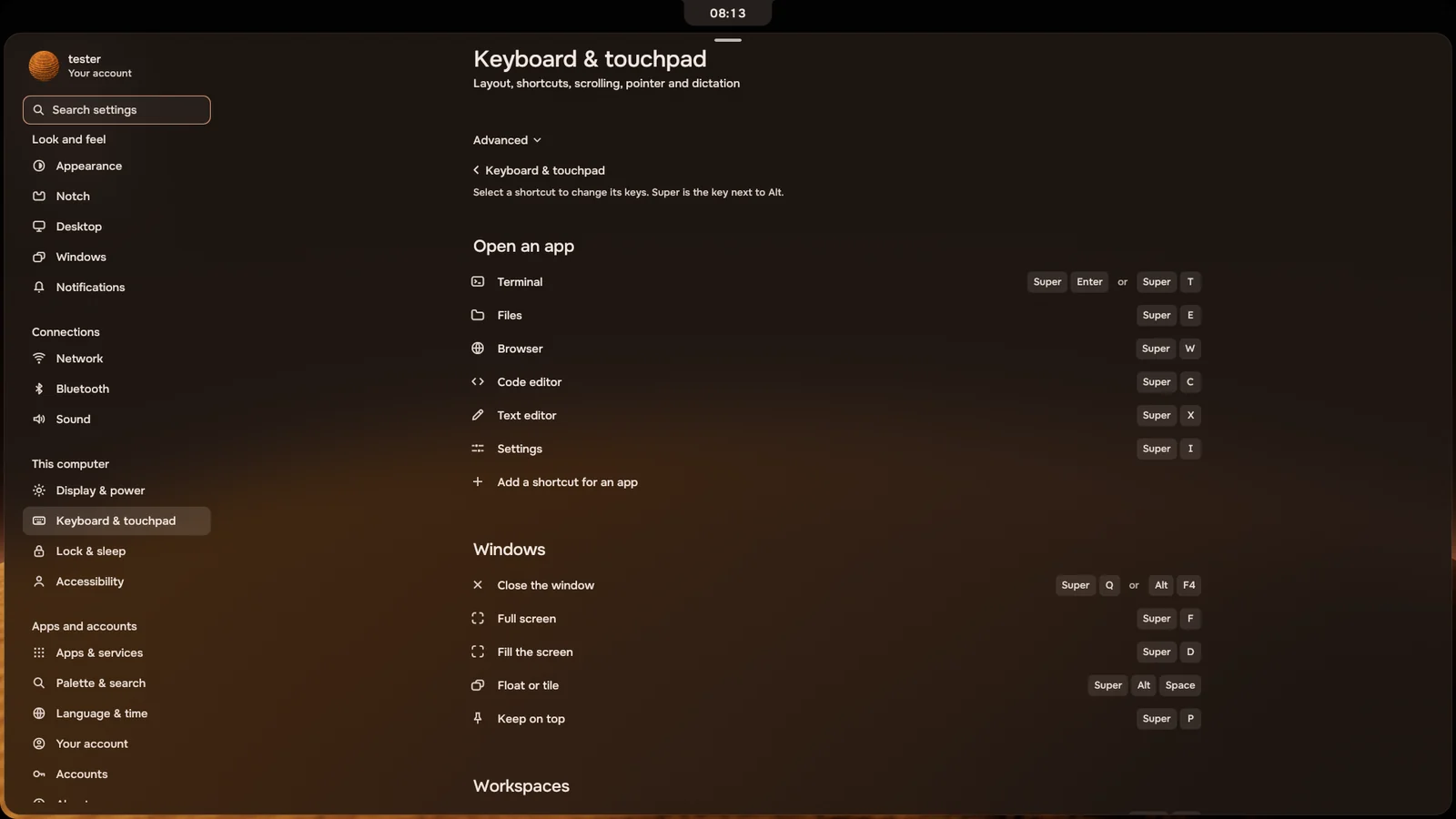
Open Settings › Keyboard & touchpad › Shortcuts to change any shortcut. You can also add your own, to open the apps you use most.
Asked for on Discord by ygnk.
Send to your phone
Set up your phone once under Devices. After that, right-click a file in Files and choose Send to your phone.
Asked for on Discord by ygnk.
A new control panel
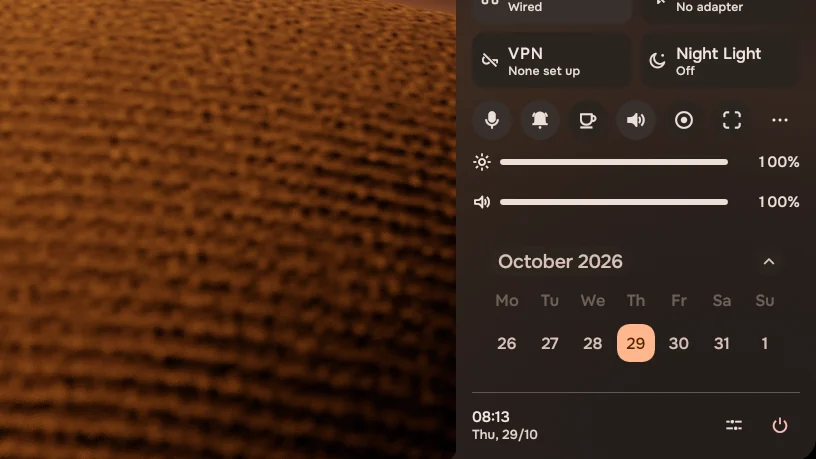
The main switches are in front. The rest are behind More, and the week is there at a glance, so the panel is less crowded.
Designed and built by ygnk, from the community.
Thyris: extensions, tabs on top, smoother scrolling
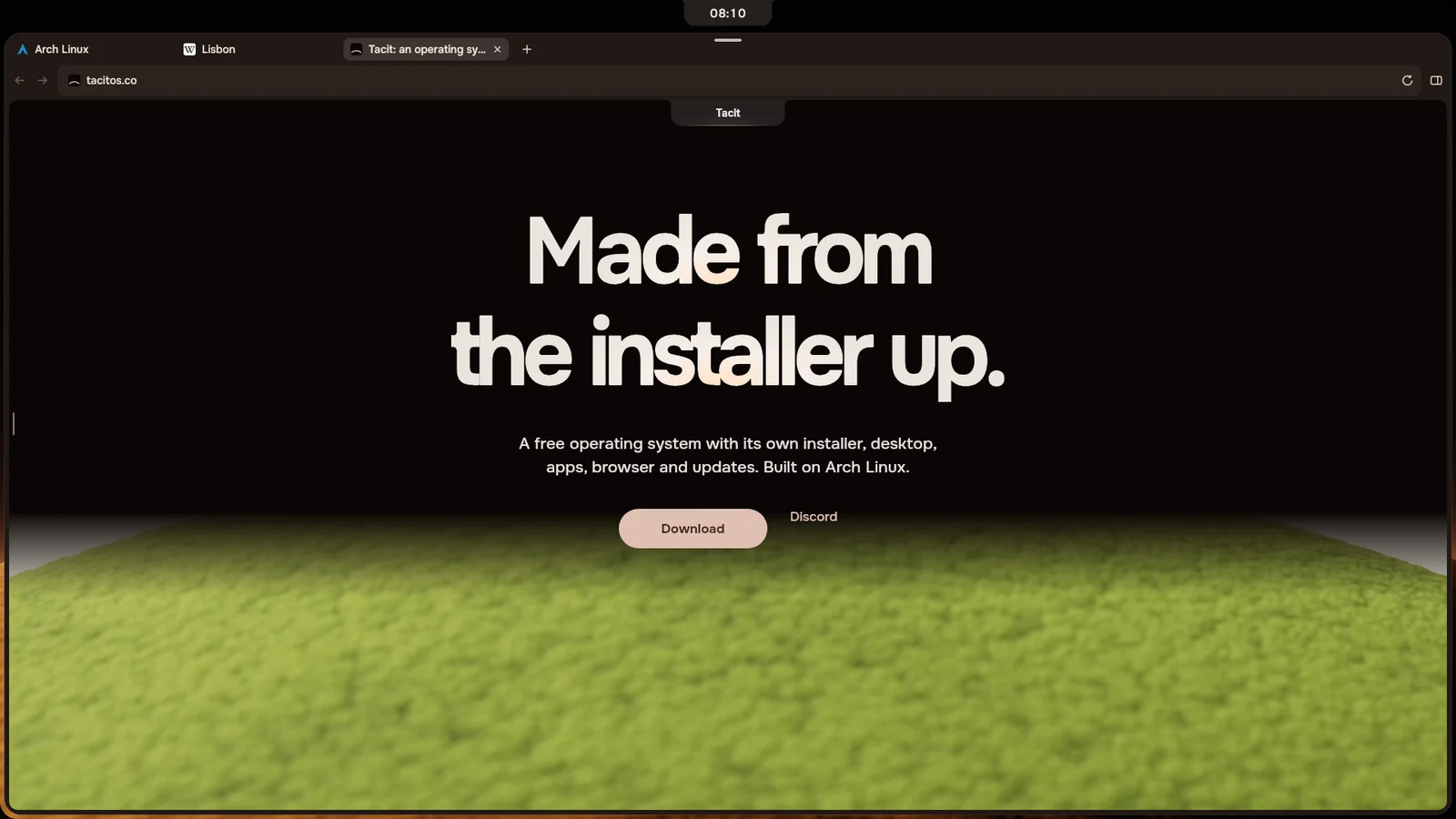
Thyris adds extensions from the Chrome Web Store. On an extension's page, press Add to Thyris and see what it can do before it is added.
Tabs can sit along the top of the window: right-click the tabs to switch. Scrolling with a mouse wheel is smooth now.
Asked for on Discord by Mustiya (extensions) and Hadi (tabs on top, smooth scrolling).
And also
Smaller changes, most important first.
- A mistake in your settings now shows one notice, which offers to put back the last good copy. Until you do, Settings says changes aren't saved. Reported by Axy.
- Other programs can no longer start or steer your agent. When a program passes it some text, the text lands in the box and you press Enter.
- Installing Tacit next to Windows keeps the clock right in both. Reported by VIProto.
- Signing in a new Claude account finishes as soon as you are done in the browser, and Settings shows the account you switched to.
- When Files, Activity or Apps can't do something, they say why and offer to try again.
- In full screen, the notch no longer covers the video. Reported by Mustiya.
- Super+Esc opens lock, log out, restart and shut down. Settings is Super+I. Asked for by ygnk.
- The emoji picker types the emoji into the app you were writing in.
- Drag a photo in the wallpaper strip to pick which part of it shows. Asked for by Mustiya. Live wallpapers now work on every computer. Reported by alex..
Get Tacit 1.2
Already on Tacit
Open Settings › About and press Check for updates. When 1.2 has downloaded, the notch offers Tonight or Restart.
New to Tacit
File: tacit-2026.10.29.2-x86_64.iso, 3.2 GB, for Intel and AMD computers.
Checksum (SHA-256): 5a347e679c50588838b3c00d7cc1640f65b389ec73ba4aedd4c7355ba742fcd2. The checksum file is signed.
Try it from a USB stick first: how to install.